
See the setup before you install
These are actual FingerWag and iPhone Settings captures from our release materials. Your app version may look different; the screenshots show the controls at capture time, not filtering results.
Get FingerWag on the App Store and follow the steps below.
Start with the political pack
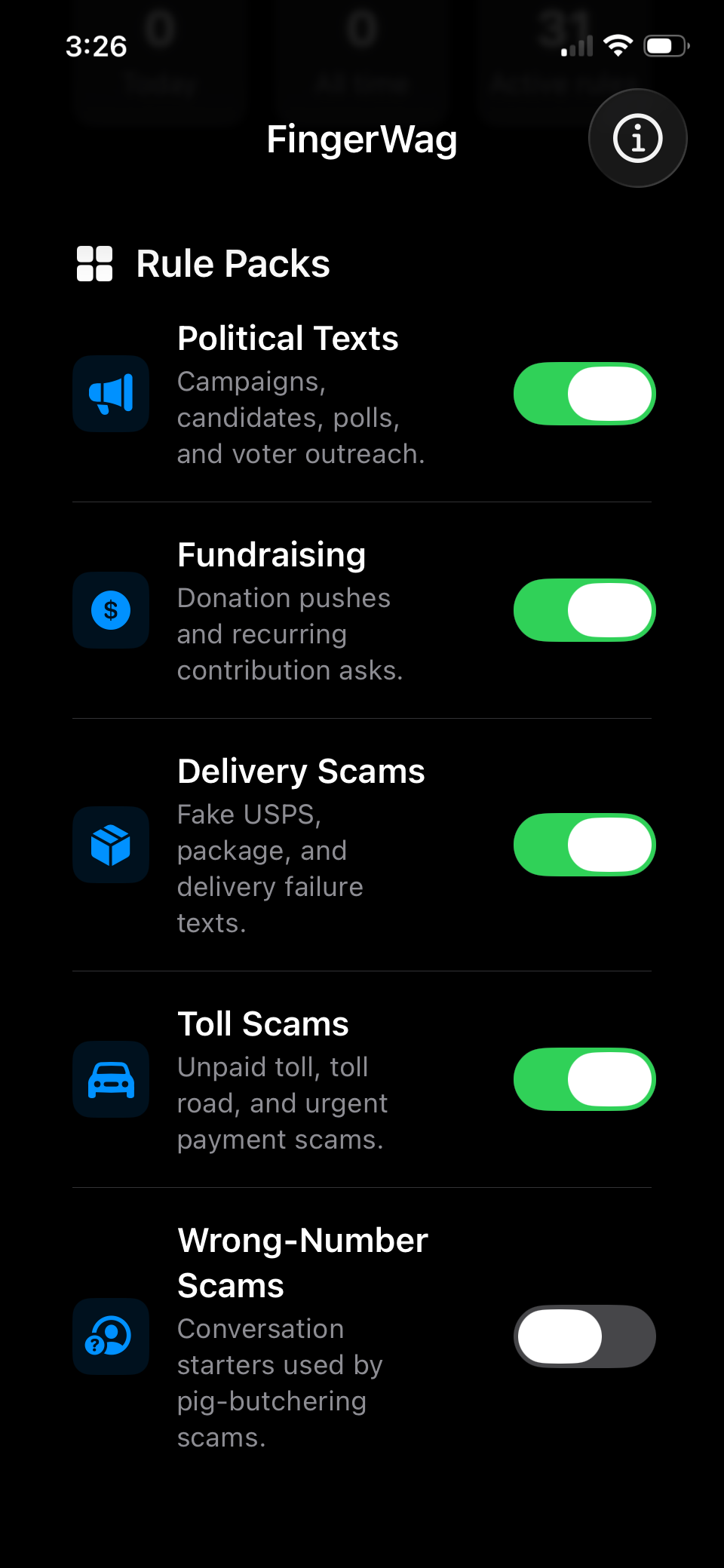
Open FingerWag and choose the political texts you want filtered. Review the available packs and your plan before turning on additional categories, such as Fundraising.
Start with the categories you need. More filters can also mean more wanted messages to review.
Add a specific phrase when you need it
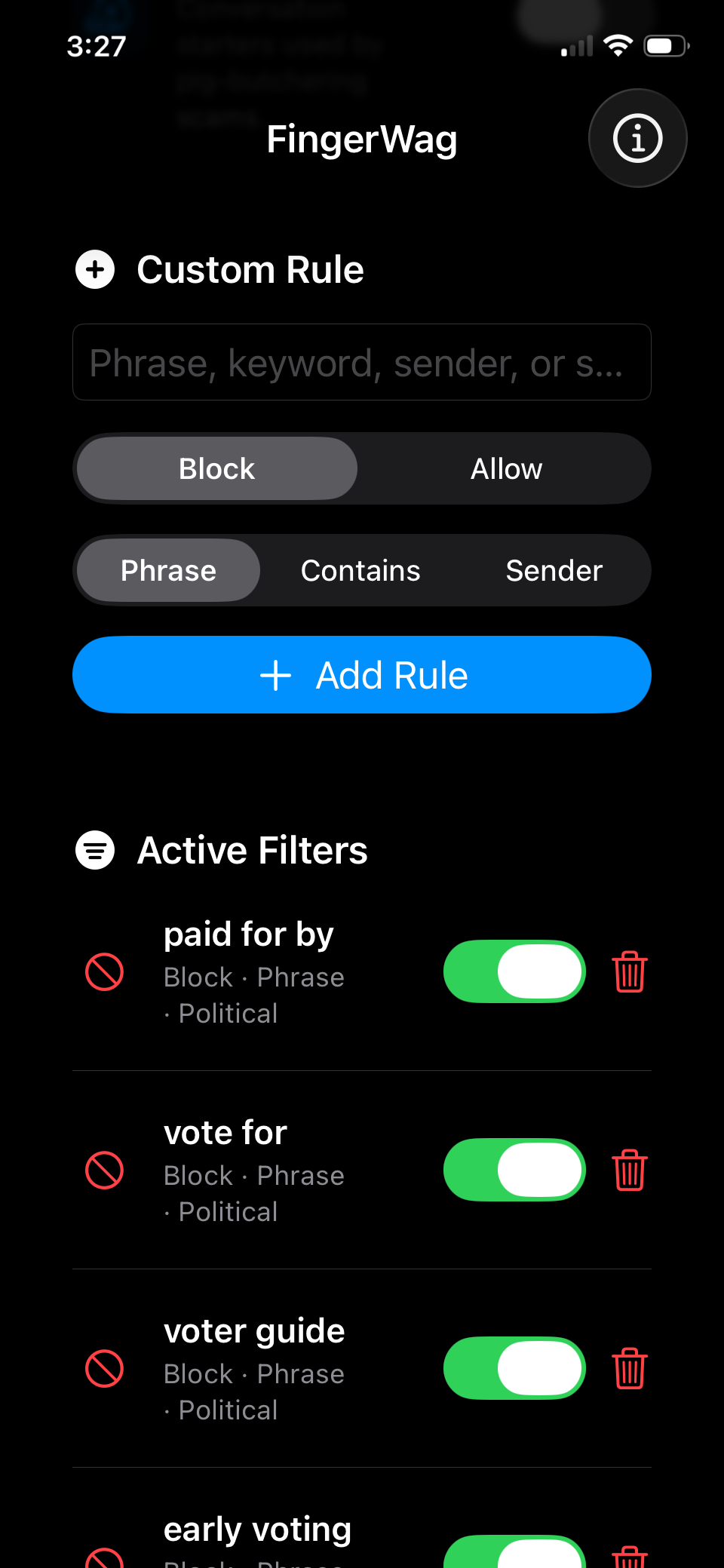
For wording that keeps coming back, add a distinctive campaign name or phrase. Choose Block for unwanted wording. An Allow rule can protect a trusted sender or phrase from a matching block rule.
Avoid a broad phrase such as “chip in” if you also want messages about splitting a meal or contributing to a school event.
Select FingerWag in Messages
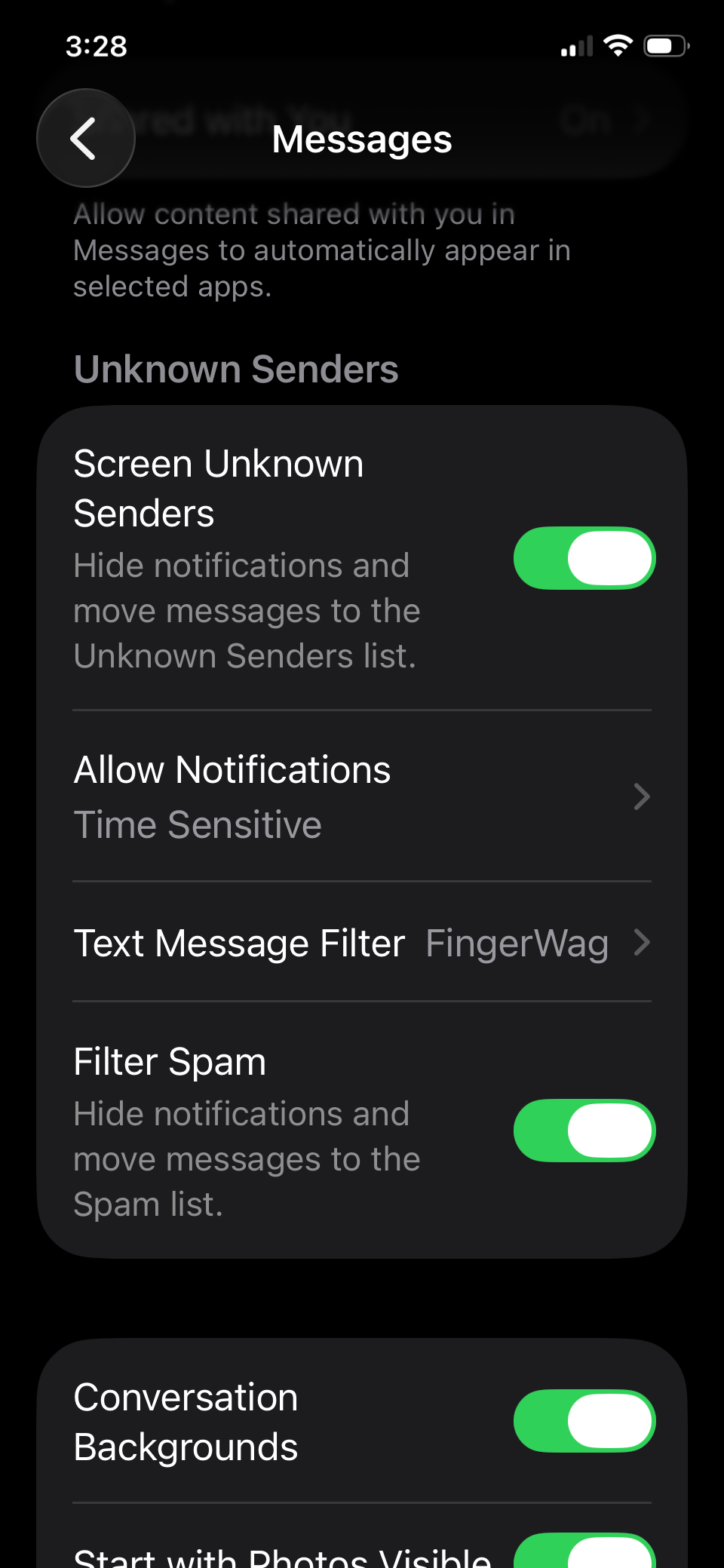
In iOS 26, open Messages → Filters → Manage Filtering → Text Message Filter. Enable text message filtering and select FingerWag. The settings screen should show FingerWag as the selected filter.
Screen Unknown Senders is a separate control. Turning it on does not, by itself, activate FingerWag.
Need the older iOS steps? Follow the iPhone setup guide. Apple also documents message filtering and unknown senders.
Filter what campaigns repeat
Campaign texts often repeat the same themes: donations, polls, voting deadlines, candidate names, campaign slogans, and opt-out disclaimers. FingerWag is useful when those patterns matter more than the individual sending number.
Campaign language
Candidate names, slogans, voter guides, and local race terms.
Fundraising asks
Donation deadlines, match claims, chip-in requests, and PAC names.
Survey and turnout texts
Poll prompts, petition pushes, early voting, and polling-place terms.
What our example-message test found
We ran the FingerWag rule engine against 40 synthetic texts: 20 labeled unwanted campaign messages and 20 labeled wanted messages. The set deliberately includes ambiguous phrases, varied wording, and wanted civic reminders. It shows why reviewing your rules matters.
| Enabled packs | Unwanted texts caught | Wanted texts also caught |
|---|---|---|
| Political | 13 of 20 | 7 of 20 |
| Political + Fundraising | 14 of 20 | 7 of 20 |
These counts describe this small, hand-authored set. They do not estimate real-world accuracy or prove that every message reaches Junk on an iPhone. Wanted messages were treated as unknown-sender inputs; iOS handles known contacts separately. Adding more packs did not resolve the wording overlap.
Two examples worth understanding
- Wanted, but caught: “Can you chip in for dinner tonight?” A donation-related phrase can occur in an ordinary message.
- Unwanted, but missed: “Morgan needs you. Will you stand with us this Tuesday?” A message can sound like campaign outreach without matching an enabled phrase.
Start with the packs you need, review filtered messages, and narrow or disable broad phrases. Use an Allow rule for a trusted sender when appropriate. A matching rule classifies wording; it does not establish whether a sender is trustworthy.
Method and all political-pack misses
Run date: 2026-09-07. We executed the original Swift rule engine on macOS with explicit pack rules and US receiver country, without custom rules or changes to the app’s saved settings. The engine file matches the local release/1.8-rc1 tag. Labels were assigned before execution, but examples were authored with knowledge of the rules; this is an illustrative developer test, not an independent benchmark. No private messages were used.
Unwanted messages the political pack missed (7)
- Support our campaign at https://example.org/donate
- Can you spare a few dollars to help Morgan win in November?
- Morgan needs you. Will you stand with us this Tuesday?
- Only hours left to triple your impact. Support Team Morgan now.
- Reply YES if you want change in Washington. Stop2End
- D o n a t e today to elect Morgan. Reply STOP.
- Our fundraising deadline is midnight. Make a contribution today.
Wanted messages the political pack caught (7)
- Can you chip in for dinner tonight?
- The school needs volunteers for election day parking.
- Your public library has a voter guide at the front desk.
- Thanks for taking our short survey about your recent appointment.
- The hospital charity asks you to make a donation this month.
- The city has updated the early voting hours at the civic center.
- Your polling place accessibility request has been received.
Download all 40 labeled examples · Download every result and source hashes
When a political filter is the right tool
A filter is most useful after you notice a pattern. If one known sender keeps texting, block or opt out. If a suspicious link appears, report or delete it. If the same political script keeps arriving from new unknown numbers, content-based filtering is the right layer.
How to choose useful rules
Good filtering rules are specific enough to catch the messages you dislike without hiding texts you may want. A broad rule like election may be too blunt. A rule that combines a PAC name, candidate name, fundraising phrase, or disclosure line is usually more useful.
- donate now
- rush a donation
- triple match
- voter survey
- paid for by
- text STOP
- early voting
- PAC names
How to enable the filter
Install FingerWag, then enable it in iPhone message filtering. On newer iOS versions, open Messages, tap Filters, choose Manage Filtering, open Text Message Filter, and select FingerWag.
Some iPhones use labels such as Settings, Messages, and Unknown & Spam. Apple has changed the wording, but the goal is to enable the text message filtering extension for unknown senders.
What a filter cannot do
- It cannot legally remove you from every campaign list.
- It cannot guarantee every political text will be caught.
- It cannot decide whether a political claim is true.
- It cannot filter normal conversations from known contacts.
When filtering doesn’t behave as expected
I installed FingerWag, but texts still arrive
Confirm that FingerWag is selected under Text Message Filter, then check that the relevant rule is enabled and available in your plan. Installation alone does not activate the extension. A text with unfamiliar wording may not match any of your rules.
A sender keeps getting through
Check whether the sender is in your contacts or an existing conversation. Apple says text message filtering does not apply to senders you have replied to three times or more. Use sender blocking for a persistent unwanted contact.
A wanted message was filtered
Review the filtered folder in Messages. Disable or narrow the matching rule, or add an Allow rule for the trusted sender. Political phrases can also occur in wanted school, library, charity, or election-office messages. Review those folders after changing your rules; a new rule does not promise to move old messages.
Get help with your setup if the controls still do not match what you see.
Private rules for recurring campaign patterns
FingerWag is designed for local filtering. Your rules stay on your device, and the app does not require an account.
- Political rules
- Fundraising rules
- Custom phrases
- Spam patterns